Warehouse Workflows
The Warehouse Pick-Pack-Ship Workflow That Scales to 1000 Orders/Day
By Nikunj Maniya · 6 May 2026 · Updated 9 June 2026 · 3 min read
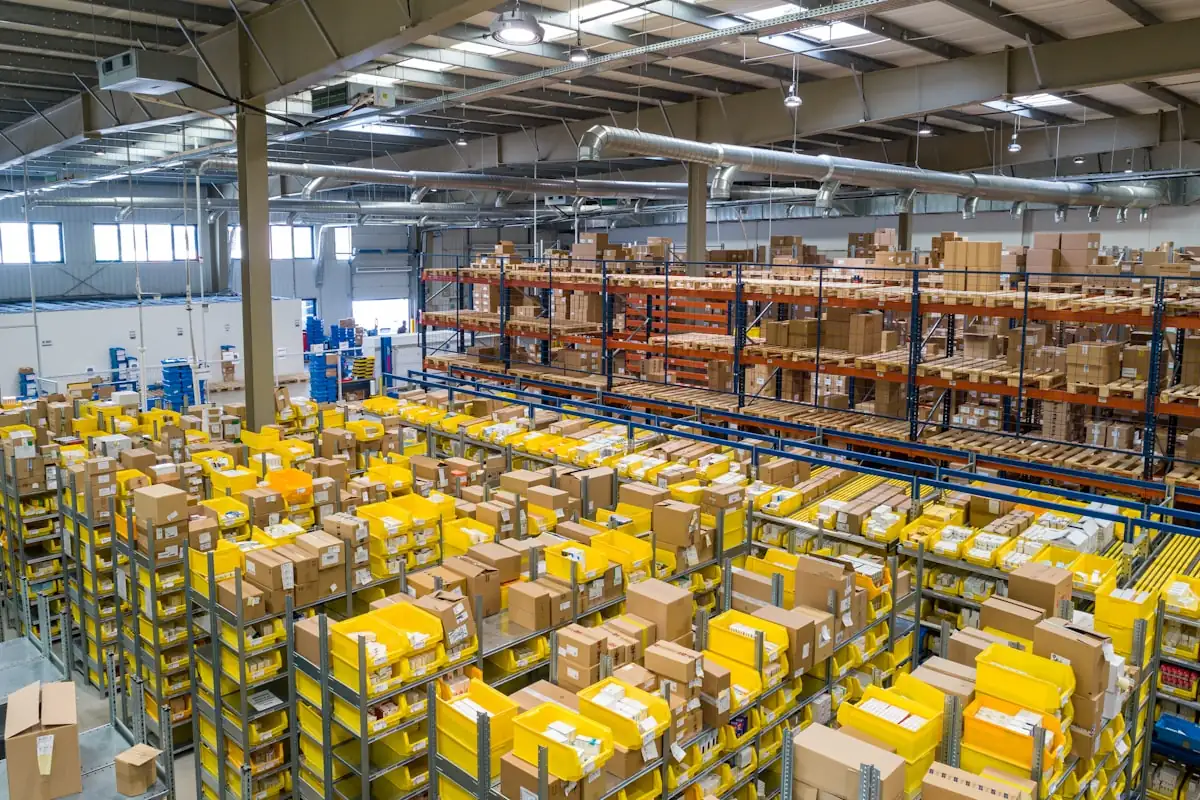
A small fulfillment operation often grows organically — labels printed one at a time, items picked from a shelf, packed at whichever desk has space. That works at 30 orders/day. At 300 it collapses. At 1000 it becomes a daily firefight. The fix is a deliberate workflow with three stations and a SKU-driven pick list.
Station 1 — Label & Sort
One person operates this station. Their job is to bulk-download orders from each marketplace, run them through a label cropper, sort by SKU, and produce two outputs:
- The shipping label stack — printed on thermal, in SKU order.
- The pick list — a single A4 sheet listing each SKU with quantities.
The Ecom Insides cropper generates both outputs in one click: cropped 4×6 labels in SKU order, plus a summary page that doubles as the pick list.
Station 2 — Pick
The picker starts with the SKU summary page. They walk to the first SKU's bin, count out the required quantity, and place items into a pick tote. Move to the next bin, repeat.
Crucially, the picker does NOT touch shipping labels at this stage. Labels are sorted separately by Station 3. This separation reduces error: the picker counts; the packer matches; nobody does two cognitive tasks at once.
Pick rate benchmarks
- Order-by-order picking: 30–40 orders/hour.
- SKU-batched picking: 80–120 orders/hour.
Station 3 — Pack & Ship
The packer receives the pick tote and the label stack. For each label:
- Read the SKU footer printed beneath the label (the cropper prints ASIN/SKU/Qty/Product on every label).
- Pick the matching item from the tote.
- Place item in mailer.
- Stick label on mailer.
- Toss into the courier-specific outbox.
With the SKU footer visible, the packer never has to guess "which item goes in this label". The label tells them.
Color-code your courier outboxes. Amazon parcels go in a green tote, Flipkart in red, Meesho in blue. Pickup agents grab their bin and leave; no manual sorting at the door.
The pick list reconciliation
After picking, the picker tallies their tote against the SKU summary page. "I picked 12 Silicone Extender 1s as listed". If the count is off, the bin is short — they catch the shortage before packing, not after. This single reconciliation step eliminates the most expensive failure mode: starting to pack and discovering missing stock at order #45 of 50.
Workflow at 1000 orders/day
At 1000 orders/day, you split the day into three batches:
- 9:00 AM batch: orders from previous evening (typically 60% of day's volume).
- 1:00 PM batch: morning orders (30%).
- 5:00 PM batch: late orders (10%).
Each batch goes through the three stations sequentially. By 6 PM all 1000 are dispatched with two pickers, one packer, and one labels operator.
What slows down at scale
- Manual cropping — once you print 1000 labels, manual cropping costs an hour. Bulk cropping in browser solves this — see the fastest way to print 100 shipping labels.
- Long bin walks — fix with bin layouts mirroring SKU sort order. See SKU management best practices.
- Searching for the right label — fix with SKU-sorted print order.
- Mixing courier outboxes — fix with color-coded totes at packing.
Frequently asked questions
How many staff do I need at 500 orders/day?
Typically: 1 labels operator (part-time, 2 hours/day), 1 picker, 1 packer. The labels operator role can merge into the picker role at lower volumes.
Should I invest in a Warehouse Management System (WMS)?
At 1000+ orders/day, yes. Below that, a spreadsheet plus the SKU summary page is enough. A good WMS becomes essential when you have multi-location inventory or 50+ SKUs.
How do I handle multi-item orders?
The SKU footer on the label can list multiple SKUs (the cropper's default truncation handles up to 3 items). For larger multi-item orders, attach a packing slip with a printed item list.